> ## Documentation Index
> Fetch the complete documentation index at: https://docs-staging-update-unified-phone-experience-doc.mintlify.site/llms.txt
> Use this file to discover all available pages before exploring further.
# SendGrid
> Découvrez comment configurer vos actions de flux SendGrid pour envoyer des courriels.
## Configurer la connexion à votre coffre-fort
Pour configurer une connexion au coffre-fort pour vos actions SendGrid, vous aurez besoin d’une **clé API** :
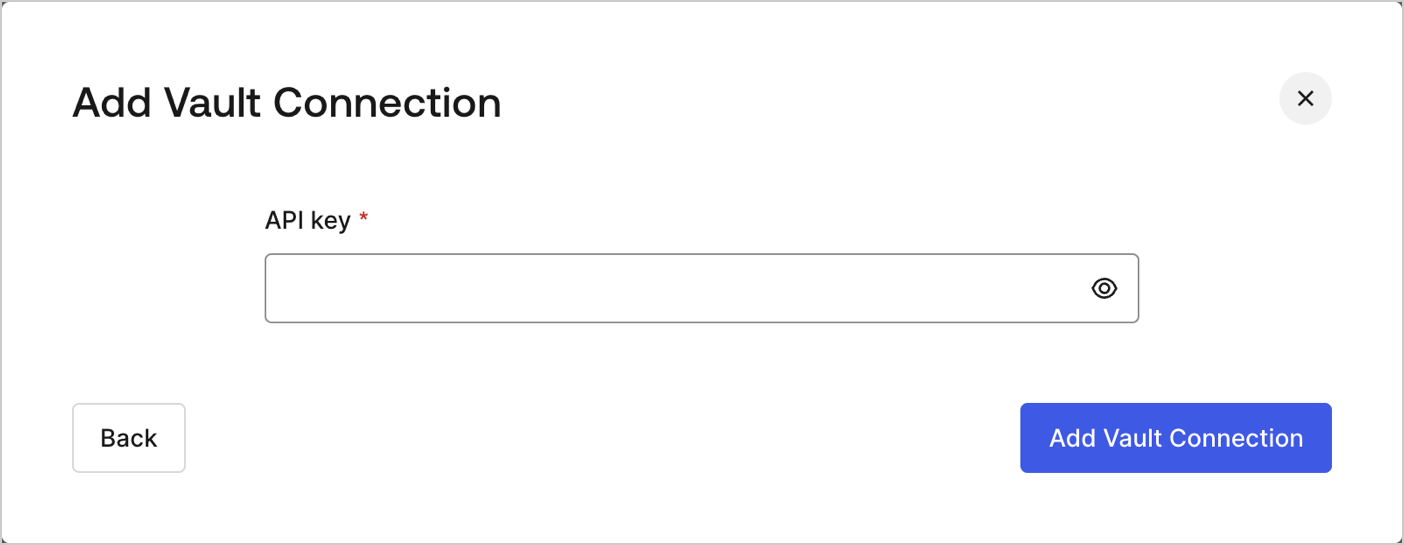 Celle-ci peut être trouvée sur la page Settings (Réglages) du [tableau de bord SendGrid](https://app.sendgrid.com/settings/api_keys) sous les clés API.
## Send email (Envoyer un courriel)
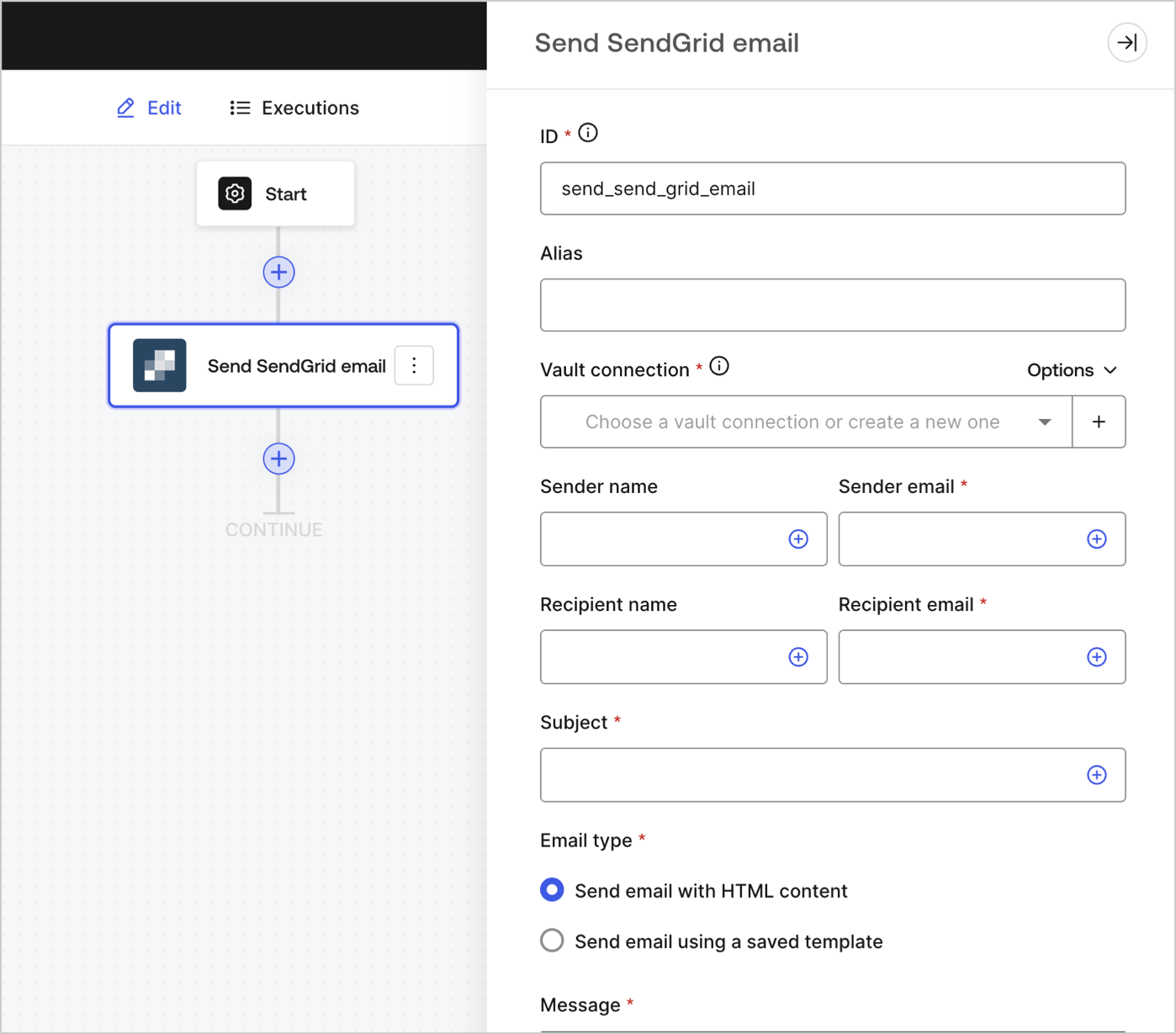
Envoyer un courriel en utilisant SendGrid comme fournisseur de messagerie.
Celle-ci peut être trouvée sur la page Settings (Réglages) du [tableau de bord SendGrid](https://app.sendgrid.com/settings/api_keys) sous les clés API.
## Send email (Envoyer un courriel)
Envoyer un courriel en utilisant SendGrid comme fournisseur de messagerie.
 ### Paramètres de saisie
| Paramètre | Description |
| ---------------------------------------------- | ------------------------------------------------------------------------------------------------------------------------------------ |
| Nom de l’expéditeur | Le nom de l’expéditeur |
| Courriel de l’expéditeur (obligatoire) | L’adresse courriel de l’expéditeur |
| Nom du destinataire | Le nom du destinataire |
| Adresse courriel du destinataire (obligatoire) | L’adresse courriel du destinataire |
| Objet (obligatoire) | L’objet du courriel |
| Type de courriel (obligatoire) | Envoyer un courriel avec contenu HTML ou un modèle enregistré (optionnel) |
| Message (obligatoire) | Message en format HTML ou un modèle (optionnel). |
| ID du modèle (facultatif) | Si vous utilisez un modèle, son ID peut être trouvé dans le [ tableau de bord SendGrid ](https://mc.sendgrid.com/dynamic-templates). |
| Variables personnalisées (facultatif) | Ajoutez des variables personnalisées à insérer dans votre modèle. |
### Paramètres de sortie
Vous trouverez les codes de réponse et d’état attendus dans la [documentation de SendGrid](https://www.twilio.com/docs/sendgrid/api-reference/mail-send/mail-send).
### Paramètres de saisie
| Paramètre | Description |
| ---------------------------------------------- | ------------------------------------------------------------------------------------------------------------------------------------ |
| Nom de l’expéditeur | Le nom de l’expéditeur |
| Courriel de l’expéditeur (obligatoire) | L’adresse courriel de l’expéditeur |
| Nom du destinataire | Le nom du destinataire |
| Adresse courriel du destinataire (obligatoire) | L’adresse courriel du destinataire |
| Objet (obligatoire) | L’objet du courriel |
| Type de courriel (obligatoire) | Envoyer un courriel avec contenu HTML ou un modèle enregistré (optionnel) |
| Message (obligatoire) | Message en format HTML ou un modèle (optionnel). |
| ID du modèle (facultatif) | Si vous utilisez un modèle, son ID peut être trouvé dans le [ tableau de bord SendGrid ](https://mc.sendgrid.com/dynamic-templates). |
| Variables personnalisées (facultatif) | Ajoutez des variables personnalisées à insérer dans votre modèle. |
### Paramètres de sortie
Vous trouverez les codes de réponse et d’état attendus dans la [documentation de SendGrid](https://www.twilio.com/docs/sendgrid/api-reference/mail-send/mail-send).